 XHLUX
XHLUX
![Como instalar o Downlight LED Philips: Guia de 5 passos [2025]](https://xhlux.com/wp-content/uploads/2024/05/news.webp)
Índice
- 🔧 Introduction: Why Choose Philips LED Downlights?
- 📌 Quick Overview: What You Need
- 🔍 Step 1: Determine Compatibility and Ceiling Type
- 📐 Step 2: Measure and Cut the Hole (For Recessed Models)
- ⚙️ Step 3: Electrical Wiring Connection
- 🛠️ Step 4: Insert and Mount the Downlight
- 💡 Step 5: Power On and Test
- 📊 Philips LED Downlight Installation Benefits
- 🧠 Troubleshooting Tips
- 📈 Market Trend: Why More People Are Switching to Philips Downlights
- 🌍 Sustainability Advantage
- ✅ Final Checklist Before You Finish
- 📘 Conclusion: Easy, Safe, and Smart Installation
- 🔍 Pesquisas relacionadas
🔧 Introduction: Why Choose Philips LED Downlights?
Philips is a globally trusted brand in LED lighting, known for combining energy efficiency with cutting-edge technology. Whether you’re a homeowner upgrading your living room ambiance or a contractor outfitting a commercial space, Philips LED downlights are a top choice for modern, long-lasting illumination.
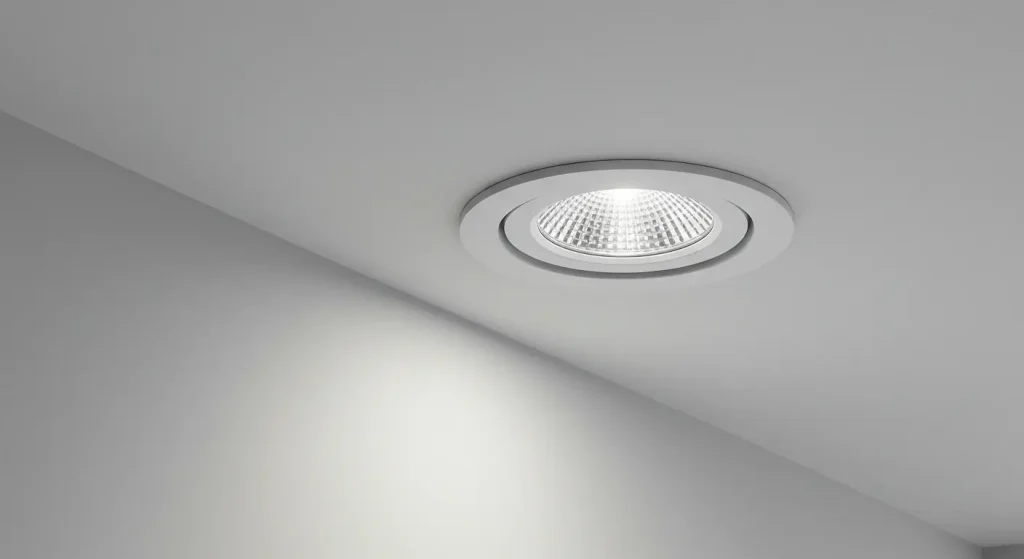
But despite their user-friendly design, knowing how to install a Philips LED downlight correctly is key to ensuring performance, safety, and longevity. In this article, we’ll walk you through the full installation process — from planning and safety checks to wiring and mounting — using clear language, visuals, and real-world expertise.
📌 Quick Overview: What You Need
| Tools Required | Materials Needed |
|---|---|
| Screwdriver (Flathead + Philips) | Philips LED Downlight Unit |
| Wire cutter/stripper | Electrical wiring (as per standard) |
| testador de tensão | Mounting accessories (clips, brackets) |
| Pencil & measuring tape | Junction box (if required) |
| Drill with hole saw bit | Ladder or step stool |
⚠️ Importante: Always switch off power at the circuit breaker before beginning any electrical work.
🔍 Step 1: Determine Compatibility and Ceiling Type
Before diving into installation, check the following:
✅ Ceiling Compatibility:
- Philips downlights can be installed in drywall, gypsum board, or false ceilings.
- Surface-mounted models may be installed directly onto concrete ou solid ceilings using mounting brackets.
✅ Voltage & Fixture Size:
- Most Philips LED downlights are 220–240V compatible.
- Choose appropriate cutout size (e.g., 75mm, 90mm, 120mm) based on the model.
💡 Dica profissional: Use a Philips-branded installation manual to match fixture dimensions and cutout size.
📐 Step 2: Measure and Cut the Hole (For Recessed Models)
For recessed models like the Philips Slim Downlight ou Philips Smart WiZ Downlight, mark the center point of your light placement.
How to Measure Cutout Size:
| Model | Cutout Diameter |
|---|---|
| Philips Slim 10W | 90mm |
| Philips Essential SmartBright | 75mm – 120mm |
| Philips Meson Series | 150mm |
Steps:
- Use a pencil to mark the center point.
- Use um hole saw attachment on a power drill to create the cutout.
- Ensure a snug fit for thermal efficiency and fixture stability.
🔧 Don’t oversize the hole — the downlight clips rely on pressure to hold firmly.
⚙️ Step 3: Electrical Wiring Connection
Key Connection Points:
- Live (Brown/Red) to L terminal
- Neutral (Blue/Black) to N terminal
- Earth (Green/Yellow) if provided
For plug-and-play drivers (common in Philips models), simply:
- Match the input wires from the driver to your ceiling’s power cable.
- Usar wire connectors ou WAGO terminals to secure the connection.
- If your Philips LED comes with a pre-wired driver, no manual connection is needed beyond the main supply.
🧠 Análise de especialista: Avoid twisting wires by hand. Use certified connectors to meet safety standards.
🛠️ Step 4: Insert and Mount the Downlight
Depending on the type of Philips LED downlight:
Recessed Mount:
- Compress the spring clips.
- Gently insert the fixture into the ceiling.
- Release the clips to lock the unit in place.
Surface Mount:
- Mark and drill holes on the ceiling based on the mounting plate.
- Screw the plate securely.
- Attach the downlight to the plate using screws or twist-lock mechanism.
💡 Step 5: Power On and Test
Once the downlight is securely mounted:
- Turn the main breaker back on.
- Flip the light switch.
Verifique se:
- Bright, flicker-free lighting
- Proper color temperature (e.g., 3000K warm white or 6500K cool white)
- No buzzing or dimming (if dimmer is compatible)
🔍 Common issue? If light flashes or doesn’t turn on, check your driver connection or try resetting the dimmer (if used).
📊 Philips LED Downlight Installation Benefits
| Recurso | Beneficiar |
|---|---|
| Energy-Efficient | Up to 85% savings vs. halogen |
| Longa vida | Over 25,000 – 50,000 hours |
| Smart Options Available | Voice control via Wi-Fi or Zigbee |
| Tool-Free Installation | Plug-and-play models reduce install time |
| Dimmable Versions | Perfect for ambience control |
🧠 Troubleshooting Tips
| Issue | Possible Cause | Solução |
|---|---|---|
| Light not turning on | Loose wire or faulty driver | Recheck wiring; test driver |
| Flickering or flashing | Incompatible dimmer or voltage fluctuation | Replace dimmer or use surge protector |
| Fixture overheating | Improper insulation or airflow | Use IC-rated models or re-position |
📈 Market Trend: Why More People Are Switching to Philips Downlights
According to a 2024 report by Fortune Business Insights, the global LED lighting market is projected to reach \$135.9 billion by 2030, with Philips Signify remaining one of the top 3 global leaders due to its focus on energy efficiency, smart lighting, and easy installations.
🗣️ “Homeowners are increasingly looking for DIY-friendly, sustainable lighting upgrades. Brands like Philips dominate because they offer reliability with smart control flexibility.” — Lighting Analyst, Global Smart Lighting Journal
🌍 Sustainability Advantage
Philips LED downlights are RoHS and CE certified, with many models featuring:
- Mercury-free design
- Low heat emission
- Recyclable packaging
By installing Philips LED lights, you reduce both your carbon footprint and long-term energy bills.
✅ Final Checklist Before You Finish
- Power is off at the circuit breaker
- Correct cutout size is made
- Wiring is secure and connected properly
- Fixture is stable and flush with ceiling
- Light turns on without flicker or delay
📘 Conclusion: Easy, Safe, and Smart Installation
Now that you know how to install Philips LED downlights, you’re equipped to take on your next lighting upgrade with confidence. Whether it’s a surface mount, recessed ceiling, ou smart Wi-Fi downlight, proper installation ensures long-term safety, energy efficiency, and satisfaction.
For larger projects, especially in commercial or office environments, consider working with a certified electrician to guarantee compliance with local codes and wiring standards.
🔍 Pesquisas relacionadas
- how to replace old ceiling light with Philips downlight
- Philips smart downlight installation instructions
- install Philips WiZ LED ceiling light
- can I install Philips LED downlight on concrete ceiling
- Philips LED recessed lighting guide