 XHLUX
XHLUX

Índice
- What is Smart Lighting Control
- What Are Bluetooth Downlights?
- What Are WiFi Downlights?
- How They Work: Side-by-Side Architecture
- Performance: Speed, Stability, and Latency
- Control Ecosystem & Integration
- Cost and Scalability (Commercial Lens)
- Application Recommendations (Residential / Commercial / Hospitality)
- Data & Diagrams
- FAQ About Bluetooth Downlights
- Conclusão
Smart lighting has moved from novelty to core infrastructure for residential and commercial projects. Among wireless options, two protocols dominate downlight specifications: Bluetooth (often Bluetooth Mesh) e WiFi. Choosing between them affects latency, stability, scalability, remote control, integration, and cost.
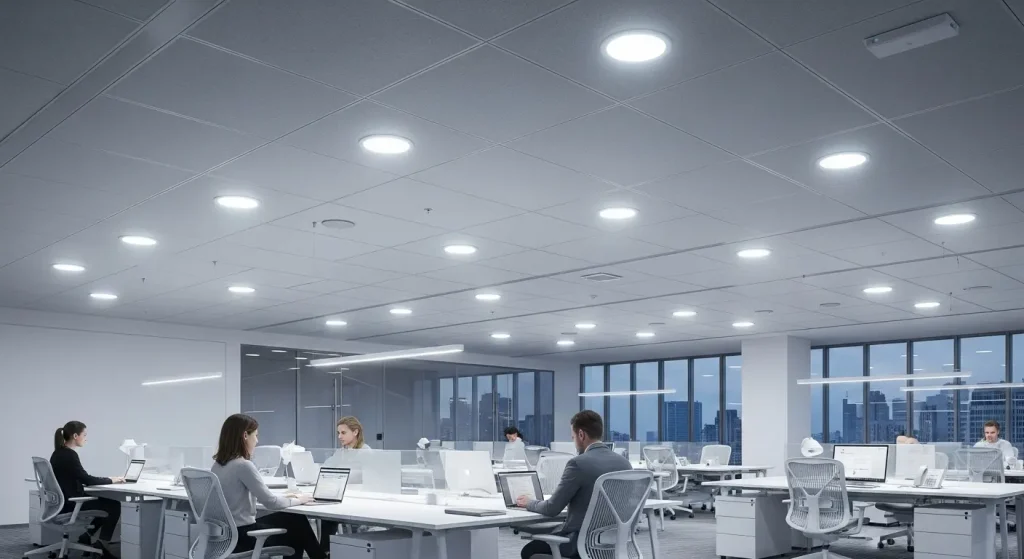
This guide breaks down how Bluetooth and WiFi downlights work, compares performance in real projects, and gives clear selection rules for B2B buyers—system integrators, developers, hotel and office project managers—so you can deploy the right smart downlight platform with confidence.
What is Smart Lighting Control
A smart lighting system connects control endpoints (phone app, wall panel, gateway, sensors) to drivers/LED engines inside each downlight. Wireless protocols replace or augment control wiring:
- WiFi: Each luminaire (or its driver) joins a 2.4 GHz network via a router/AP, enabling cloud connectivity for remote control, scenes, automations, and voice assistants.
- Bluetooth Mesh (BLE Mesh): Luminaires form a self-healing local mesh. Commands hop node-to-node without a router; no internet is required for daily use. A gateway/bridge can be added for cloud/voice.
- (Others exist—Zigbee, Thread/Matter—but this guide focuses on Bluetooth vs WiFi because these are the most requested in downlights.)
Three-layer model
- Protocol layer (WiFi or BLE Mesh) → 2) Driver/MCU (interprets commands) → 3) LED engine (dimming CCT/RGB/RGBW).
Success depends on both network behavior e driver quality (PWM/CCR method, low-flicker performance, OTA ability).
What Are Bluetooth Downlights?
Bluetooth downlights embed a BLE Mesh radio or operate with a Bluetooth-based control module. Devices discover and relay messages for each other, building a local, scalable mesh that remains functional even when a single node fails. Users control lights through a mobile app ou BLE wall panel; for remote/voice, add a BLE-to-cloud gateway.
Key advantages
- Low latency (<100 ms typical) — commands feel instantaneous in meeting rooms and hotel guestrooms.
- Offline reliability — continues to work even if the building’s internet drops.
- Scalable mesh — hundreds to thousands of nodes via multi-hop topology.
- Energy-friendly standby — BLE radios sip power, extending driver life and reducing parasitic load.
- Fine-grain grouping — local scene storage and fast multicast to zones.
Potential trade-offs
- Remote control requires a gateway/bridge for cloud/voice.
- Commissioning discipline matters (naming, grouping); large meshes should be planned floor-by-floor.
- Range is room-scale per hop (~10–15 m line-of-sight), though mesh repeater hops extend coverage.
Common ecosystems: Tuya Bluetooth Mesh, Smart Life, Casambi, proprietary BLE Mesh from lighting vendors.
What Are WiFi Downlights?
WiFi downlights connect to the building router/AP on 2.4 GHz and keep a persistent cloud session for control via mobile apps and voice assistants anywhere in the world.
Key advantages
- True remote access out of the box — no additional gateway required.
- Voice ecosystem ready — native compatibility with Alexa, Google Home, Siri Shortcuts (via platform).
- Consumer-friendly commissioning — simple onboarding flows are familiar to home users.
Potential trade-offs
- Latency varies with network and cloud (300–800 ms typical), noticeable in rapid scene changes.
- Network dependency — if WiFi or internet fails, control may be limited or unavailable.
- AP capacity limits — typical routers handle 50–100 devices before congestion and dropouts; larger sites need controller-grade WiFi and VLAN planning.
- Higher standby overhead than BLE due to constant cloud presence.
Common ecosystems: Tuya/Smart Life WiFi, OEM cloud platforms, brand-specific WiFi apps.
How They Work: Side-by-Side Architecture
| Dimension | Bluetooth Downlight | WiFi Downlight |
|---|---|---|
| Topology | Local BLE Mesh (multi-hop) | Star via Router/AP to Cloud |
| Control Path | Phone/Panel → Mesh → Nodes | Phone → Cloud → Router/AP → Nodes |
| Internet Required | No (local works offline) | Sim for full control |
| Remote/Voice | Via gateway/bridge | Native (cloud-connected) |
| Typical Latency | <0.1 s | 0.3–0.8 s |
| Resilience | Self-healing mesh | Single AP is a point of failure |
| Escalabilidade | Alto with multi-hop | Router/AP device limits apply |
| Commissioning | App-based mesh grouping | App-based SSID join + cloud link |
| Standby Power | Mais baixo | Mais alto |
| OTA Updates | App or gateway mediated | Cloud mediated |
Performance: Speed, Stability, and Latency
Speed/Latency
- Rede Bluetooth delivers instant feedback—ideal for meeting rooms, hotel guestrooms, retail scenes, e synchronous fades.
- WiFi can feel slower on congested networks or when cloud round-trips vary. For single-user homes it’s fine; for dense commercial floors, latency accumulates.
Stability/Resilience
- BLE Mesh is distributed: if one luminaire goes offline, others relay around it.
- WiFi is centralized: the router/AP and internet uplink are single points of failure; enterprise-grade APs and redundant backhaul mitigate this.
Capacity/Scale
- WiFi demands managed networks, QoS, and sometimes multiple VLANs to keep 100+ devices stable.
- BLE Mesh scales by adding nodes; command traffic is tiny and spreads across the mesh. Gateways can be added per area for cloud.
Dica de design: For floors with 200+ downlights, Bluetooth Mesh usually wins on predictability e scene synchronization. For single-family homes ou small suites that want voice-first control, WiFi is often sufficient.
Control Ecosystem & Integration
| Capability | Bluetooth Downlight | WiFi Downlight |
|---|---|---|
| App Control | Tuya / Smart Life / Casambi / OEM BLE apps | Tuya / Smart Life / Brand apps |
| Controle por voz | Needs BLE-to-cloud gateway | Native (Alexa/Google) |
| Scene & Grouping | Local groups/scenes with near-zero lag | Cloud groups; latency depends on cloud |
| Schedules/Automation | Local (gateway recommended) | Cloud-native |
| Sensors (PIR/Daylight) | Local mesh sensors broadcast to groups | Cloud or hub-based automation |
| BMS/3rd Party | Via gateway/bridges; some vendors provide REST/MQTT | Cloud APIs; some local integrations |
| OTA Firmware | Via app/gateway | Cloud-delivered OTA |
Cost and Scalability (Commercial Lens)
While street pricing varies by brand and region, a typical pattern emerges:
- Device cost: Similar for comparable lumen/CCT features; WiFi modules can be slightly pricier than BLE in volume.
Infrastructure cost:
- Bluetooth: no router/AP requirement; add 1 gateway per zone/floor only if remote/voice needed.
- WiFi: may require enterprise APs, additional controllers, and careful channel planning for reliability.
- Commissioning/maintenance: BLE Mesh needs structured naming/grouping; WiFi needs network ops e credential management (SSID/password changes, AP swaps).
Illustrative cost snapshot (small suite, 12 downlights)
| Item | Rede Bluetooth | WiFi |
|---|---|---|
| Downlights (12×) | $X each | $X+Δ each |
| Gateway/Bridge | Optional ($120–$200) | Not needed |
| AP/Router | Not required | Consumer AP ($60) or enterprise ($300+) |
| Commissioning Time | 45–60 min | 45–60 min (depends on WiFi quality) |
| Ongoing Ops | Low (local) | Network upkeep (SSID, firmware, ISP) |
Scaling to floors (100–300 fixtures):
- Bluetooth retains predictable latency and scene sync; add multiple gateways for cloud coverage.
- WiFi requires multiple APs, careful RF planning, and sometimes IT staff.
Application Recommendations (Residential / Commercial / Hospitality)
Residential & Small Retail
- Primary needs: remote control, voice, simple automations.
- Escolher: WiFi downlights (Tuya/Alexa/Google supported).
- Add Bluetooth downlights only if you want instant local scenes without cloud.
Corporate Offices & Education
- Primary needs: reliable scenes, zone grouping, low latency for presentations/VC, scale across floors.
- Escolher: Rede Bluetooth for the core lighting. If voice/remote is needed, deploy gateways per area and integrate with scheduling platforms.
Hospitality (Guestrooms, Corridors, Lobbies)
- Primary needs: instant response, minimal network dependency, maintenance-friendly.
- Escolher: Rede Bluetooth in guestrooms and corridors; add WiFi in lobbies or demo areas where voice/remote is part of the brand experience.
Showrooms & Galleries
- Primary needs: precise scenes and synchronized fades during demos.
- Escolher: Rede Bluetooth for low-latency scene recall; add a WiFi gateway for off-hours remote checks.
Data & Diagrams
Performance Comparison (Illustrative)
| Métrica | Bluetooth Downlight | WiFi Downlight |
|---|---|---|
| Response Time (Command → Action) | <0.10 s | 0.30–0.80 s |
| Works Without Internet | Sim | No (limited local fallback) |
| Max Practical Nodes (per floor) | 200–1,000+ (mesh & segmentation) | 50–100/AP (with enterprise tuning) |
| Typical Standby Load | Mais baixo | Mais alto |
| Voice Assistant | via gateway | native |
| Scene Sync (20 fixtures) | Near-instant | Noticeable stagger on congested LAN |
Ecosystem Matrix
| Recurso | Bluetooth | WiFi |
|---|---|---|
| App Ecosystem | Tuya / Smart Life / Casambi / OEM | Tuya / Smart Life / OEM |
| Remote Access | Gateway required | Cloud-native |
| Security Posture | Local mesh + encrypted links | Cloud + router security |
| OTA Updates | App/gateway | Cloud |
| Recommended Projects | Offices, hotels, galleries | Homes, small shops, show flats |
FAQ About Bluetooth Downlights
Q1: Can I mix Bluetooth and WiFi downlights in one project?
Yes. Many platforms (e.g., Tuya/Smart Life) support mixed environments under a single app. For consistent UX, define zones by protocol and add a BLE gateway where remote control of Bluetooth zones is required.
Q2: Which is more energy efficient?
Lighting energy depends mostly on LED efficacy e dimming schedules. On the control side, Bluetooth radios generally have lower standby draw than WiFi; however, the difference is tiny relative to the luminaire’s active load.
Q3: What happens if the internet goes down?
- Bluetooth Mesh: Local control continues normally.
- WiFi: Control can be limited until connectivity returns (unless your platform supports local LAN control for scenes).
Q4: How many WiFi downlights can a single router handle?
Consumer routers typically get unstable above 50–100 devices. For commercial floors, use enterprise APs, multiple SSIDs/VLANs, and proper RF planning.
Q5: Do both support OTA firmware updates?
Sim-Bluetooth via app/gateway and WiFi via cloud. Include OTA in your spec to keep devices secure and feature-complete.
Q6: Is Bluetooth secure enough for commercial buildings?
Modern BLE Mesh implements encrypted provisioning and messaging. As with WiFi, security depends on proper commissioning e credential management.
Q7: Which is better for hotels?
Guestrooms and corridors benefit from Rede Bluetooth (instant local control, no reliance on hotel WiFi). Lobbies and demo spaces can layer WiFi for voice/remote experiences.
Conclusão
Ambos Bluetooth e WiFi downlights deliver smart, app-based control—but they optimize for different priorities:
- Escolher Rede Bluetooth para instant scenes, offline reliability, and high-density commercial deployments.
- Escolher WiFi para voice-first homes, remote management without extra gateways, and small suites.
- For complex venues, a hybrid strategy (BLE Mesh core + gateways, with selective WiFi endpoints) often provides the best user experience e future flexibility.
Need project-ready smart LED downlights?
Nós fornecemos OEM/ODM Bluetooth Mesh and WiFi downlights com low-flicker drivers, 0–100% smooth dimming, CCT/RGBW options, e Tuya/Smart Life integration.
Ask for a tailored specification pack (photometrics, driver options, gateways, commissioning guide) and a fast quotation for your next rollout.