XHLUX
XHLUX
Office ceiling lights can provide enough overall illumination while still making a computer screen difficult to read. A reflection of a luminaire on the monitor, or a bright source directly in your field of view, is a different problem from insufficient light.
Dimming everything—or switching the lights off—is rarely the right first move. First identify whether you are fighting:
- a reflection on the screen,
- a directly uncomfortable light source in view, or
- an uneven lighting arrangement that creates harsh contrast.
Then use three paths in order: fix the relationship between lights, desk and monitor; reduce direct glare with better shielding and optics; keep comfortable ambient light without bright spots or a cave-like room.
For the wider office design sequence (brief → criteria → layout → check), start with the Guide de conception de l’éclairage des bureaux pour les espaces de travail modernes.
TL;DR : To reduce glare from office ceiling lights, separate screen reflections from direct glare. Move the reflection out of the normal viewing area with monitor and desk geometry before you replace fixtures. Review shielding, high-angle luminance and controls for harsh sources. Keep usable ambient light—do not solve glare by making the office too dark. Change luminaires or the layout when geometry and controls cannot fix the optical cause.
Table des matières
- 🔍 1. Why Do Office Ceiling Lights Cause Glare on Computer Screens?
- 🖥️ 2. How Can You Reduce Screen Reflections Without Replacing the Ceiling Lights?
- 🛡️ 3. Which Office Ceiling Lights Help Reduce Direct Glare?
- 📐 4. How Should Office Ceiling Lights Be Positioned Around Workstations?
- ⚖️ 5. How Can You Reduce Glare Without Making the Office Too Dark?
- 🔄 6. When Should You Change the Ceiling Lights Instead of Adjusting the Workstation?
- 🏁 Conclusion
- FAQ
🔍 1. Why Do Office Ceiling Lights Cause Glare on Computer Screens?
Enough room light does not mean the screen is comfortable. Name the glare type before you change the system.
Reflected Glare
A ceiling luminaire appears as a bright patch on the display. That reflection lowers local contrast and can hide text or UI detail. Monitor tilt, height and desk orientation decide where the image of the light lands. Workplace lighting practice (including EN 12464-1 guidance on veiling reflections and display-screen equipment) treats workstation arrangement and luminaire luminance toward screens as design checks—not afterthoughts.
Direct Glare
The luminous surface—or an unshielded LED array—sits in your normal field of view and feels harsh even when nothing shows on the monitor. Weak cut-off, high source luminance at high viewing angles, or a fixture almost in the line of sight can drive that discomfort. Standards rate electric-light discomfort glare with the CIE Unified Glare Rating (UGR) method under defined room conditions; that is a different test from “is there a lamp image on my laptop?”
Moving the monitor can clear a reflection and still leave a painful source in view. Fixing the type you actually have saves wasted dimming and wrong product swaps.
🎯 Should you replace lights before naming the glare type?
No. Reflections and direct source discomfort need different first moves.

🖥️ 2. How Can You Reduce Screen Reflections Without Replacing the Ceiling Lights?
Try geometry and controllable light first. Buying new fixtures is not the only path.
Work through these checks in order:
- Check the monitor angle. Tilt and raise/lower the screen. Watch whether the reflected ceiling light moves out of the area you look at while typing.
- Review desk and monitor orientation. Note which ceiling luminaires and windows sit behind or beside the glass surface from the user’s seat. Daylight from the side is often easier to manage than a bright window behind or in front of the screen; shade strong daylight when it creates extra reflections.
- Map lights above and around the workstation. If a luminaire sits in the screen’s reflection zone for the normal seated posture, mark it—do not guess from the corridor view.
- Use controllable lighting. Where dimming or separate switching exists, lower or turn off only the zone that drives the reflection and re-check the screen.
- Control daylight reflections. Blinds or shades matter when windows add a second bright “source” in the glass.
There is no single desk orientation or monitor angle that works in every room. Screen coating, luminance, window location and the ceiling layout all change the result. Matt desk surfaces and avoiding extreme desk colours can also reduce competing reflections around the keyboard area.
🎯 What should you try before ordering new office ceiling lights?
Move the reflection out of the normal viewing area with monitor, desk and zone controls first.
🛡️ 3. Which Office Ceiling Lights Help Reduce Direct Glare?
Compare optical performance and shielding—not wattage, lumen stickers or product category labels alone.
Shielding and Cut-Off
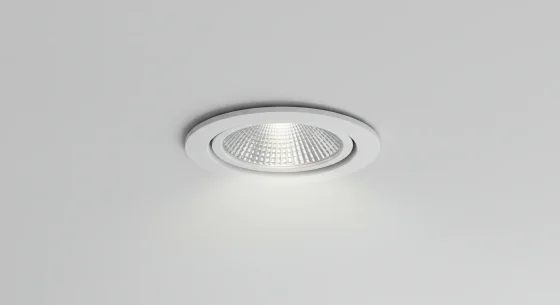
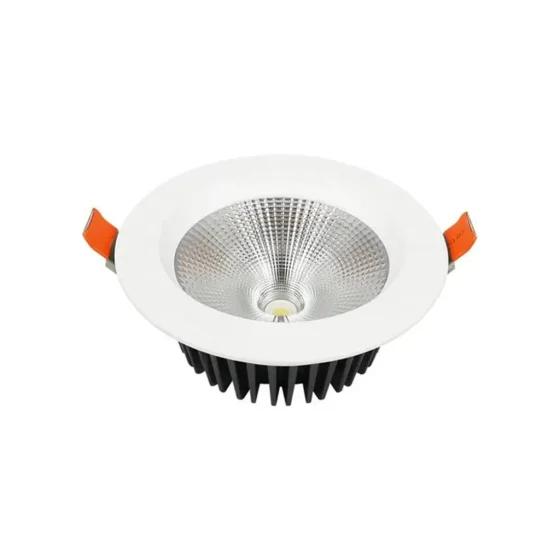
Recessed sources, baffles and defined shielding angles limit how much of the bright emitter you see at high viewing angles. A shallow, bright luminous face in the forward view is harder to live with than a deeper, well-shielded aperture of similar lumen output.
Diffuseurs
A suitable diffuser spreads light and softens concentrated bright spots. Diffusers are not equal: a thin sheet that still shows LED dots can remain uncomfortable, while a well-designed volumetric or prismatic optic can look quieter at the same wattage.
Microprismatic Optics and Louvers
Microprisms and louvers shape high-angle luminance and can support office glare targets when the layout matches the photometric assumptions. They are tools—not magic labels.
Luminaire Brightness at High Viewing Angles
What you see from a seated eye height matters more than the catalogue “UGR” badge alone. If the luminous part stays bright toward the observer, discomfort can remain even when desk lux is correct.
UGR Glare Rating
UGR (often shown as UGRL / RUGL limits in EN 12464-1 task tables) rates discomfort glare from luminaires under standard room and observer assumptions. For many office writing/typing tasks, projects commonly adopt a UGRL of 19—see our Normes d’éclairage des bureaux : explication de EN, IES et WELL for how that sits beside lux and uniformity.
A catalogue line such as “UGR <19” does pas guarantee a glare-free installation, and it does pas guarantee an empty screen. Screen-reflection control also depends on where luminaires sit relative to displays and on luminaire luminance toward those screens. EN 12464-1 treats display-screen reflections with separate luminance limits for luminaires that can be mirrored in flat screens—another check besides UGR.
Do not crown panels, linear runs or downlights as automatically better. Optical design and mounting position decide the outcome.
🎯 Does a UGR<19 label prove the office will feel glare-free?
No. UGR is installation- and assumption-dependent; screen reflections need their own geometry and luminance checks.
📐 4. How Should Office Ceiling Lights Be Positioned Around Workstations?
Check real viewing and reflection geometry—not only a tidy ceiling grid.
A luminaire directly above a desk can sit in the monitor’s reflection zone once the screen is tilted for comfortable viewing. Where the furniture and ceiling allow, placing runs or points slightly to the side of the main screen axis often helps—but that is a geometry outcome, not a fixed centimetre rule.
For linear luminaires, orientation relative to the usual viewing direction can change how strongly the luminous line images in the glass. Always verify from the seated working position with the monitor at its normal angle—not only from the room door.
Include windows in the same check: daylight and electric light can both occupy the reflection zone.
Do not prescribe a universal distance between ceiling lights and desks. Ceiling height, photometry and furniture decide what works.
🎯 Is a regular ceiling grid enough to prove good desk lighting?
No. Check reflections and sightlines from the actual seated monitor position.
⚖️ 5. How Can You Reduce Glare Without Making the Office Too Dark?
Aim for balanced, usable light—not the lowest possible brightness.
Turning off most of the ceiling can clear a reflection and leave a bright screen in a dark room. That high contrast is its own visual stress. Keep suitable general lighting while controlling the offending source or reflection path.
Where appropriate:
- Prefer diffuse ambient light that still meets the task, rather than a few harsh hotspots.
- Ajouter éclairage de travail for paper work when needed—but place it so it does not create a new screen reflection. Task light supplements; it does not repair a bad ceiling layout by itself.
- Use dimming or separate zones to tune the area around one workstation without blacking out the whole floor.
Screen brightness should stay in a comfortable relationship with the surroundings. There is no single universal brightness ratio for every office; adjust for the task and the changing daylight.
🎯 Is switching the ceiling lights off a good glare fix?
Usually no. Clear the offending source or reflection while keeping usable ambient light.
🔄 6. When Should You Change the Ceiling Lights Instead of Adjusting the Workstation?
Replace or redesign when optics or layout are the root cause—not because the product is a panel, linear or downlight.
| Observed problem | First action to consider |
|---|---|
| A clear ceiling-light image appears on the monitor | Adjust monitor/workstation geometry and check the reflection zone |
| A bright source is uncomfortable to look at | Review shielding, cut-off and viewing direction |
| Dimming helps, but the desk becomes too dark | Rebalance ambient lighting or lighting zones |
| Glare persists across several workstations | Review the luminaire layout and photometric performance |
| A replacement fixture is being considered | Check optical characteristics against the actual installation—not wattage or category alone |
Change fixtures when:
- reflections persist after honest geometry and shade/dimming trials, pointing to bad positions or distributions;
- insufficiently shielded sources remain harsh from normal seats;
- the system cannot zone or dim the problem area without starving the desk;
- a new product is selected by shielding, high-angle luminance and photometric files—not by “UGR <19” marketing alone.
Larger offices often need a lighting designer to run the real layout with IES/LDT files before a floor-wide swap.
🎯 When is a fixture swap justified?
When geometry and controls cannot fix unsuitable optics or layout—not merely because the existing lights are LED panels or linear runs.
🏁 Conclusion: How Do You Reduce Glare from Office Ceiling Lights?
- Identify whether the issue is screen reflection ou direct glare.
- Vérifier monitor, workstation and luminaire geometry.
- Review shielding, optics and lighting controls.
- Replace or redesign only when adjustments cannot resolve the optical cause.
Keep enough comfortable office illumination while clearing troublesome reflections and bright sources.
Explorez nos articles de blog connexes :
- Comment choisir des luminaires de bureau commerciaux pour un confort optimal
- Quels sont les meilleurs luminaires pour un bureau ? Explication de 5 types de luminaires
- Éclairage de bureau recommandé pour la productivité et le confort visuel
FAQ
Office Lighting Optics for Commercial Projects
XHLUX fabrique des luminaires commerciaux, notamment des luminaires linéaires à LED et spots encastrés LED for office and workplace projects. Shielding, light distribution, dimming options and screen-comfort requirements can be considered when configuring lighting solutions for specific projects. Une configuration OEM/ODM is available when optics and mounting details must match a defined workstation plan.
If you already have reflected ceiling plans, furniture layouts and glare or screen-comfort criteria, send those for a configuration review. We do not claim any single product is glare-free without supporting photometry for the installed layout.